Managing multiple accounts
Run several Claude accounts on one machine, see each one's weekly limit, and move agents between them.
What an account is
Each Claude subscription (Pro or Max) you sign in to on a machine is one connected account. Your plan sets how many you can connect: 1, 2, 4, 8 or 12.
On the machine, each account lives in its own Claude config folder. Your default account is in ~/.claude. Every extra account gets one more folder.
Why run more than one
- More capacity. Each account has its own weekly limit.
- Work and personal apart. An agent runs under the account you start it with.
- Agents keep running. When one account hits its limit, its agents can move to another.
What you need
- A plan that covers the number of accounts you want to connect. See Pricing.
- A machine already connected to Orpheus. See the setup guide.
- Agents running inside tmux. Orpheus only sees sessions in tmux.
1Sign in each extra account
Pick a folder name for the account, for example ~/.claude-work. Start Claude Code with that folder:
Inside it, sign in to the other subscription:
Do this once per extra account, with a different folder each time. Your default account stays in ~/.claude and is not touched.
2Start an agent under an account
In tmux, start the agent with the folder of the account it should use:
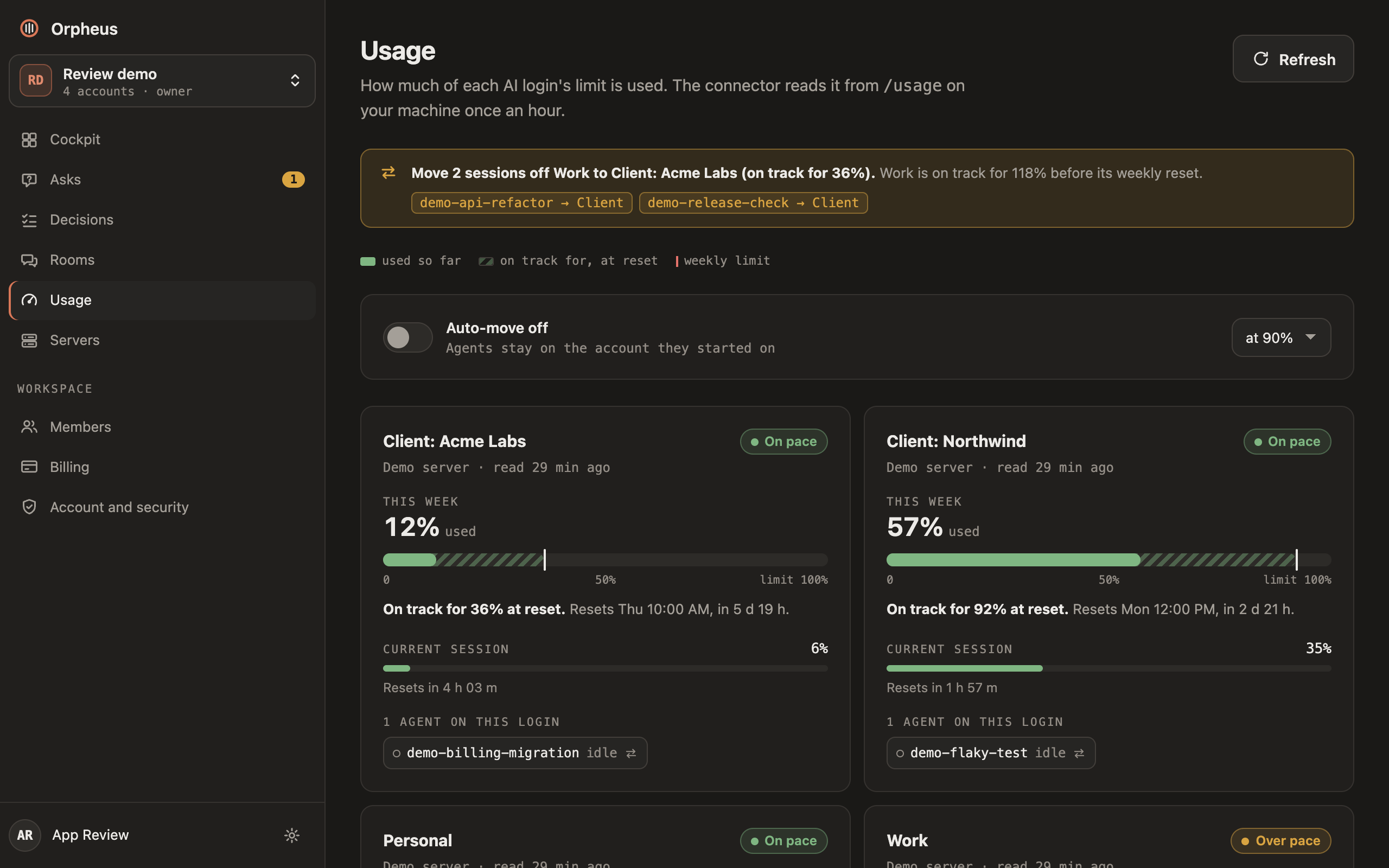
Run plain claude to use the default account. Orpheus sees which account each session uses. Usage shows each account's weekly limit once usage reading is on for the machine: set "usage": true in the policy file from step 3. It is off until you turn it on.
3List the logins in the policy file
To let Orpheus switch sessions between accounts, list the logins in the connector policy on that machine: ~/.config/orpheus-connector/policy.json. Add a logins list and keep the settings already in the file.
labelis the name you see in Orpheus.configDiris the folder you signed that account into in step 1.- List every account an agent may move onto, your default
~/.claudetoo. A move to a folder that is not listed is refused.
4Move an agent to another account
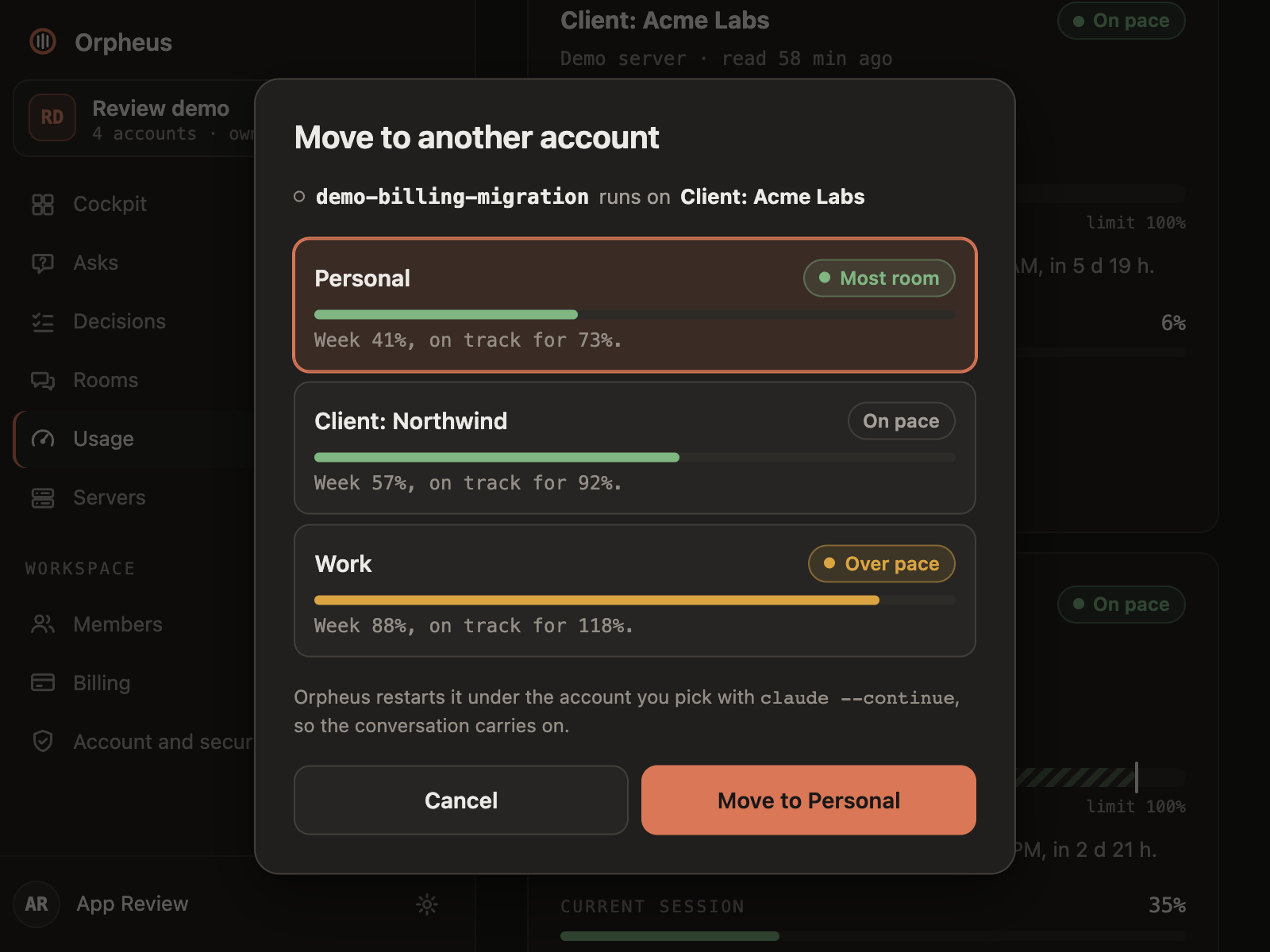
- Open Usage in Orpheus and tap the session under its account.
- Pick the account to move it to.
It works on idle Claude sessions. Orpheus restarts the agent under the other account with claude --continue, so the conversation carries on.
5When an account runs low
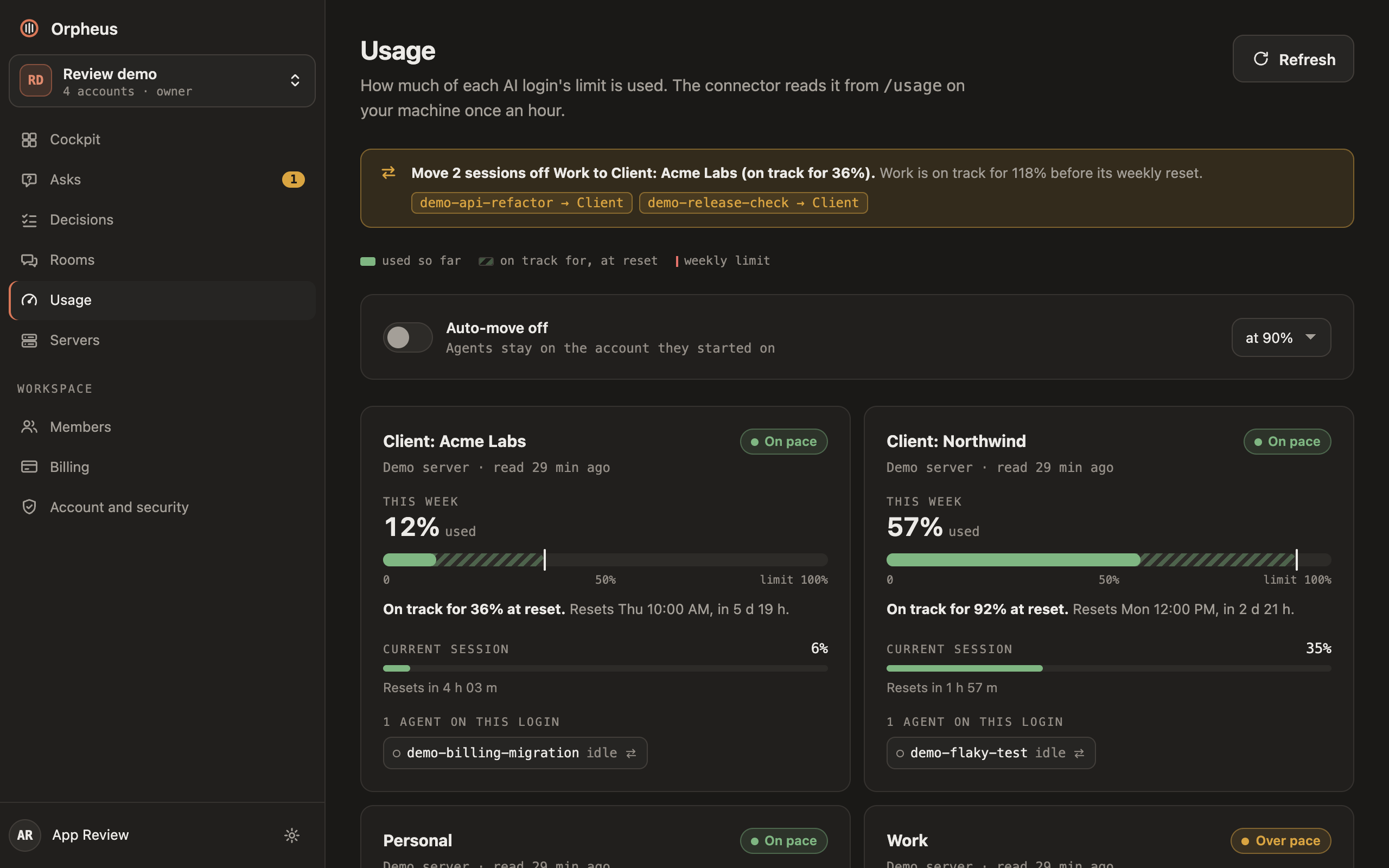
Usage shows each account's week and whether it is on track to last until it resets.
To have Orpheus act on it, turn on Auto-move at the top of the Usage page. Only an admin can change it.
- It moves idle sessions off an account that is projected to run out, or is over your threshold. The default threshold is 90%.
- They go to the account with the most room on the same machine.
- Every move is logged.
Quick reference
- Sign in an extra account
CLAUDE_CONFIG_DIR=~/.claude-work claude, then/login- Start an agent under it
- The same command, inside tmux
- Let Orpheus switch accounts
loginsin~/.config/orpheus-connector/policy.json- Move one agent
- Usage, tap the session, pick the account
- Move agents automatically
- Auto-move on the Usage page (admin only)
- See every limit
- Usage